
Quick answer and key facts
| Login method | Registered mobile number and password |
|---|---|
| Verification | SMS OTP for recovery and some actions |
| Guest login | Available, but not a permanent account |
| Password reset | Forget Password on the login screen |
Signing in step by step
- 1Open the app and wait for the lobby assets to finish loading.
- 2On the login panel, pick your country code and enter your registered mobile number.
- 3Enter your password. Tap the eye icon to check it before submitting.
- 4Tap Login. Leave Save Password off on a shared device.
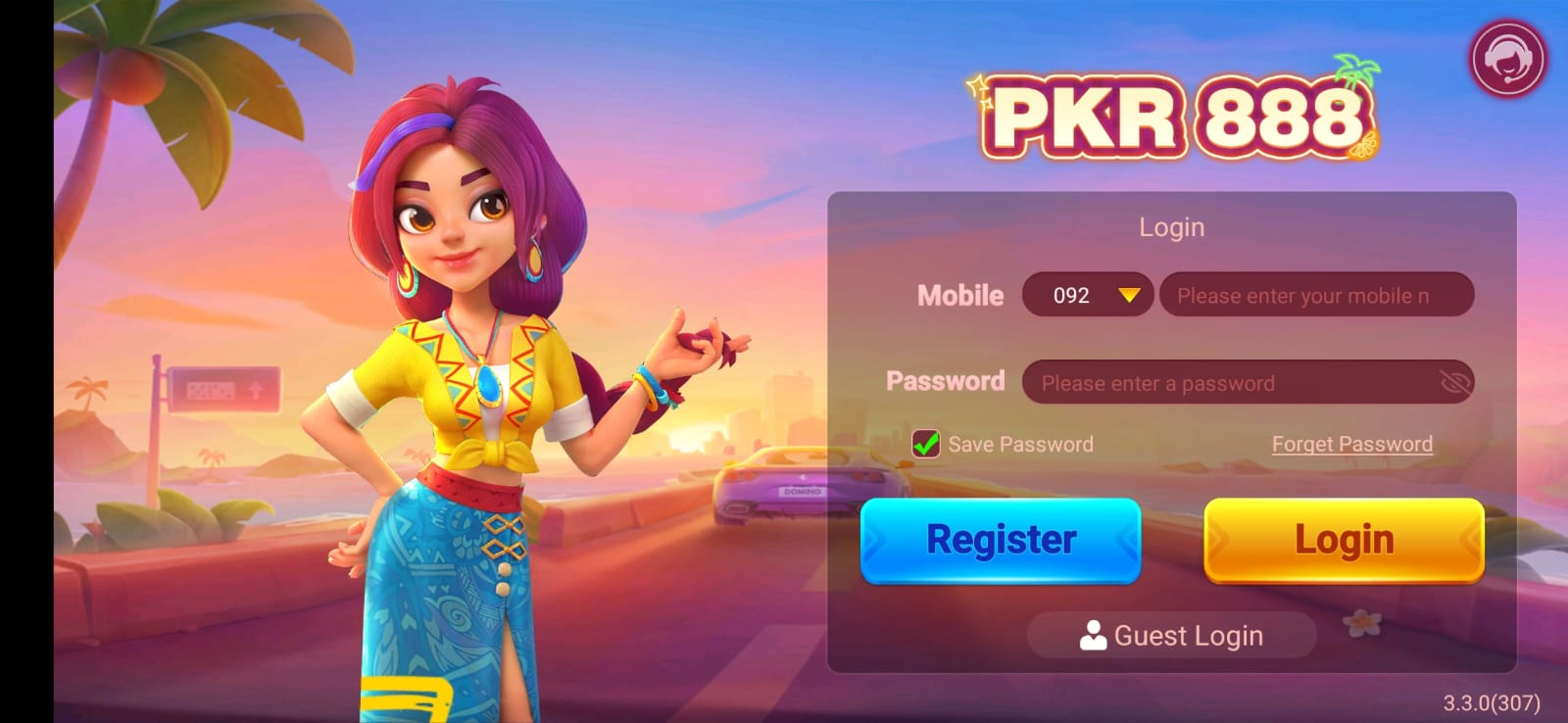
Guest login and why it is risky
A guest session lets you look around without registering, but it is tied to that install. Clear the app data, change phones or reinstall and the session is gone, along with anything in it. If you intend to add money, bind a mobile number and password first.
OTP and password problems
- No OTP: confirm the number and country code, check signal, and wait out the resend timer instead of spamming the button, which can trigger a temporary block.
- OTP expired: request a fresh code and enter it immediately; codes are usually valid for a couple of minutes.
- Password rejected: check for a trailing space and caps lock from a keyboard suggestion, then use Forget Password.
- Account locked after retries: wait rather than trying again, as repeated failures extend the lock.
Keeping the account yours
Never share an OTP
No genuine support agent asks for your one-time code, password or a screen-sharing session. Anyone who does is trying to take the account.
- Use a password you do not use for banking or email.
- Turn off Save Password on shared phones.
- Log out before handing your phone to someone else.
- Keep your registered number active; it is the only recovery route.
Open Luck 97 download page
The link opens the Luck 97 game site in a new tab. 18+ only.
Frequently asked questions
How do I log in to Luck 97?
Open the app, enter the mobile number you registered with and your password, then tap Login. A guest login option exists but a guest session is not a permanent account.
I forgot my Luck97 password. What do I do?
Use Forget Password on the login screen and verify with the OTP sent to your registered number. If the number is no longer with you, only the app's support team can help.
Why is my OTP not arriving?
Check signal, make sure the number is typed with the right country prefix, wait the full retry window before requesting again, and check your phone's blocked or spam SMS folder.
Related Luck 97 guides
Who wrote and checked this page
Written and fact-checked by the Luck97.pk editorial team. We test the download flow on real Android handsets in Pakistan and only publish details we can see for ourselves. Anything we cannot verify is labelled “Being verified” instead of guessed. Read our editorial policy or send us a correction.